Why testing your video player is more than checking “play”
Video players are deceptively complex. They don’t just play video they manage buffering, bitrate switching, UI responsiveness, accessibility, and security, all in real time.
If you're integrating or building a video player into your app, testing can't be an afterthought. You’re not just validating playback you’re making sure the player works under real-world conditions: bad networks, long sessions, multiple devices, inconsistent encodings, and user interaction chaos.
This guide cuts through the noise what to test, where things usually break, and how teams approach automation when basic play-pause checks aren't enough.
TL;DR
Testing a video player involves validating far more than basic playback, as real-world performance depends on buffering behavior, adaptive bitrate switching, device compatibility, UI responsiveness, accessibility, and DRM security. Reliable testing requires a combination of manual validation across devices and networks, automated UI and API testing, performance benchmarking under load, and video-specific quality checks such as sync accuracy and encoding integrity. Leading platforms like Netflix, YouTube, VLC, and native mobile players demonstrate the importance of handling edge cases, recovery logic, and adaptive streaming at scale. Real-time playback metrics and Quality of Experience (QoE) data are essential for identifying issues like startup delays, stalls, or error patterns. Platforms like FastPix provide detailed playback analytics and event-level monitoring, enabling teams to measure performance, detect failures, and improve video reliability without relying solely on visual testing.
Real-world video players worth analyzing for playback reliability
The fastest way to uncover what your own player might miss? See how the top platforms handle the tough stuff adaptive streaming, recovery, edge conditions, and user interactions. These aren’t theoretical best practices they’re production-hardened decisions made at scale.
VLC Media Player
- Why it matters: Open-source, codec-rich, and engineered to handle broken or incomplete files gracefully.
- What to learn: Playback stability under messy conditions truncated downloads, corrupted headers, or mismatched tracks.
Netflix & YouTube
- Why it matters: Industry leaders in adaptive bitrate streaming and real-time buffering logic.
- What to learn: How dynamic encoding profiles adjust to both device and network conditions. Netflix’s per-title encoding is especially useful if you’re building for diverse content types.
JW Player
- Why it matters: Used in ad-supported environments with strong analytics and event tracking capabilities.
- What to learn: Mid-roll ad behavior, seek events during playback, and how third-party scripts affect playback timing or error states.
Native Mobile Players (iOS AVPlayer, Android ExoPlayer)
- Why it matters: OS-level optimization for HLS, background playback, and gesture responsiveness.
- What to learn: How native players handle system-level interruptions, low-power mode, and touch controls like swipe-to-seek or pinch-to-zoom.
FastPix Player
- Why it matters: Built for modern, API-first video apps with real-time encoding, adaptive streaming, and integrated video analytics out of the box.
- What to learn: How event-level playback data can be used to validate performance, detect stalls, and debug viewer issues in production.
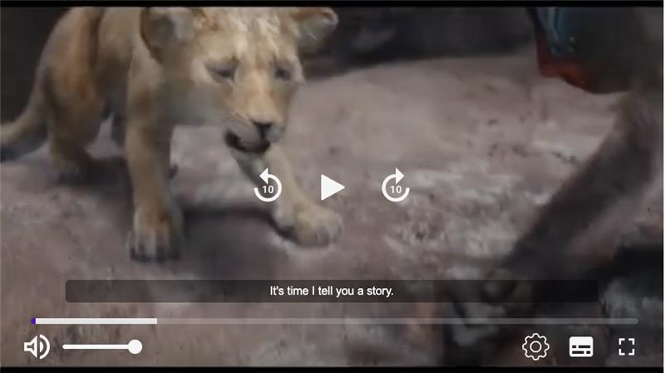
Once you know what great playback looks like, the next step is building a manual testing flow that simulates real-world usage on real devices, networks, and browsers.
In this section, we’ll walk through what to test manually, what usually breaks, and how to make sure your video player doesn’t just “work” it holds up under pressure.
Manual testing guide for video playback
Manual testing isn’t about ticking boxes it’s about surfacing what breaks under real conditions. If you’re shipping a video player that’ll be used on unpredictable networks, across fragmented devices, and by users who expect things to “just work,” this is the baseline coverage your QA flow should hit.
Functional validation
Make sure the basics actually work and keep working across sessions.
- Playback controls: play, pause, seek, volume, mute, fullscreen, and keyboard shortcuts
- Format support: MP4, MKV, AVI, HLS, DASH test both baseline and exotic formats
- Subtitles & captions: verify sync, style rendering, and multi-language toggles
- Streaming behavior: adaptive bitrate switching, seek performance, recovery from connection drops
- Error handling: invalid URLs, expired tokens, unsupported codecs, DRM handshake failures
UI & Interaction testing
Your player isn’t just a backend surface. UI glitches and inconsistencies lead to instant churn.
- Responsive layout: test mobile, tablet, desktop landscape and portrait
- Touch gestures: double-tap to skip, swipe to dismiss, pinch to zoom
- Accessibility: screen reader support, tooltip labels, focus indicators
- Design consistency: progress bar accuracy, icon alignment, control visibility
Device & platform compatibility
If you don't test on it, assume it’ll fail there.
- Browsers: Chrome, Safari, Firefox, Edge cover latest and one LTS version
- OS: Windows, macOS, Android (stock + custom ROM), iOS
- Devices: low-end Androids, smart TVs, tablets, old iPhones especially with low memory
Performance behavior
The player might function but is it usable?
- Startup latency: cold start vs. cached start times
- Memory/CPU usage: during playback, scrubbing, and idle
- Buffering: underflow (too little data) and overflow (over-fetching or caching too much)
- Mobile drain: thermal and battery load during long sessions
Security & DRM
If you’re dealing with licensed or premium content, this isn’t optional.
- DRM support: Widevine, PlayReady check both SD and HD licensing flows
- Token security: session tokens should expire, invalidate, and not expose stream URLs
- Anti-piracy: block screen recorders, check console access, obfuscate stream delivery logic
Accessibility
You can't call it production-ready without this.
- WCAG 2.1 compliance: keyboard-only navigation, logical tab order, alt text
- Closed captions: toggle state, customization, and fallback behavior
- Audio descriptions and screen reader cues for key player actions
Automation testing strategies for video playback at scale
UI automation
Use automation to simulate real user interactions with the player interface.
Tools: Selenium, Appium, Cypress
Scenarios:
- Validate core controls play, pause, seek, volume, fullscreen
- Check dynamic UI elements like quality selectors, caption toggles, and hover states
API & backend testing
Backend testing ensures your content workflows are consistent and secure.
Tools: Postman, REST Assured, Karate
Scenarios:
- Verify video metadata endpoints (e.g., title, duration, captions)
- Test token-based authentication and access control for premium or geo-restricted streams
Performance testing
Automated performance tests help you identify bottlenecks early—before users feel them.
Tools: JMeter, Gatling, FastPix Video Data
Scenarios:
- Simulate high concurrency (1,000+ sessions) and measure stream join time
- Apply network throttling and validate how the player responds to degraded conditions
Use FastPix Video Data to capture real-time playback metrics stall rates, buffering ratio, join latency across different devices and locations. This helps you correlate test results with actual QoE data from real-world sessions.
Video-specific validation
Video requires its own set of tools to validate output quality and playback health.
- Buttercup: Automates playback validation, audio-video sync, and rendering
- FFmpeg: Validates encoding quality, bitrate integrity, and codec behavior
- Grafana Labs + FastPix Video Data Export: Monitor playback KPIs like bitrate shifts, error frequency, and stall patterns over time.
CI/CD Integration
Integrate tests into your deployment pipeline to catch regressions early.
- Platforms: BrowserStack, Sauce Labs, GitHub Actions, Jenkins
- Strategy: Run headless browser sessions to validate player behavior after each deployment; use logs or API callbacks to confirm playback status and stream health.
Track player issues and QoE with FastPix video data
When you're testing video playback, visual checks aren't enough. You need real-time insights into what the player is actually experiencing. FastPix Video Data gives you a complete view of playback behavior so you can detect issues instantly and understand the impact on Quality of Experience (QoE).
From buffering spikes and startup delays to playback errors and DRM failures, FastPix captures what traditional logging misses:
- Playback event timelines: play, pause, waiting, error, variantChanged, and more timestamped and sequenced for full session reconstruction
- QoE scoring: Built-in metrics for startup time, stall frequency, buffer health, and render stability
- Error codes with context: Know what failed and why token expiration, license errors, manifest issues, or CDN problems
- Buffer analytics: Ratio, duration, and stall count to understand how playback performs under real network conditions
These metrics give you more than just visibility they quantify how good (or bad) the viewer experience actually was. Instead of guessing based on symptoms, you get direct evidence: what happened, when, and how it affected playback quality.
Whether you're validating a fix, tracking regressions, or running tests across devices, FastPix makes it easier to spot issues before users do and measure QoE in every session.
Conclusion
Testing a video player isn't about checking if it plays. It's about making sure it performs under real-world conditions on bad networks, across devices, and at scale.
Manual testing covers the basics. Automation catches regressions. But visibility is what ties it all together.
With FastPix Video Data, you get real-time playback insights and QoE metrics to debug faster, test smarter, and deliver a better viewing experience every time. To know more on video data, check out our Docs and Guides.
FAQs
How do you test adaptive bitrate streaming under fluctuating network conditions?
To test adaptive bitrate streaming, simulate network throttling using tools like Chrome DevTools or Charles Proxy. Start playback on a high-bitrate stream, then intentionally degrade bandwidth (e.g., to 3G or 2G speeds). Observe whether the player dynamically switches to lower resolutions (e.g., 1080p → 480p) without stalling. It's critical to validate that resolution shifts don’t cause playback artifacts, buffering spikes, or sync issues.
What’s the best way to test gesture-based interactions like double-tap-to-seek or swipe-to-volume?
Gesture validation should be done on real devices (not emulators) to capture touch sensitivity, responsiveness, and potential UI conflicts. Focus on mobile-specific behaviors like swipe up/down for volume or brightness, double-tap for skip, and pinch-to-zoom. Ensure gestures don’t interfere with other elements (e.g., overlays, ad pop-ups) and remain smooth even under high CPU load or background processes.
How can you verify a video player handles corrupted or incomplete media files?
Create test assets with intentionally damaged headers, truncated data, or missing audio tracks using tools like FFmpeg. During playback, the player should recover gracefully by skipping damaged frames or displaying fallback messaging without crashing or freezing. Open-source players like VLC are excellent baselines to understand how playback resilience is typically handled.
Why does video playback break even if basic play/pause tests pass?
Because video playback isn't just about starting and stopping content. Real-world usage includes edge cases like low bandwidth, format mismatches, background interruptions, subtitle desync, or ad injections. Without testing under these conditions, play/pause tests offer a false sense of stability. High-quality video players account for network resilience, cross-device consistency, and user interaction complexity none of which surface in simple control tests.